The Future of Weight Loss: AI-Driven Nutrition Coaching
Learn how AI-driven nutrition coaching with Nootris offers personalized, real-time feedback for effective weight loss.
Published Sep 27, 2024
Install Nootris, your AI nutrition coach, on Android and iOS. Follow our guide for seamless, cross-platform health tracking.
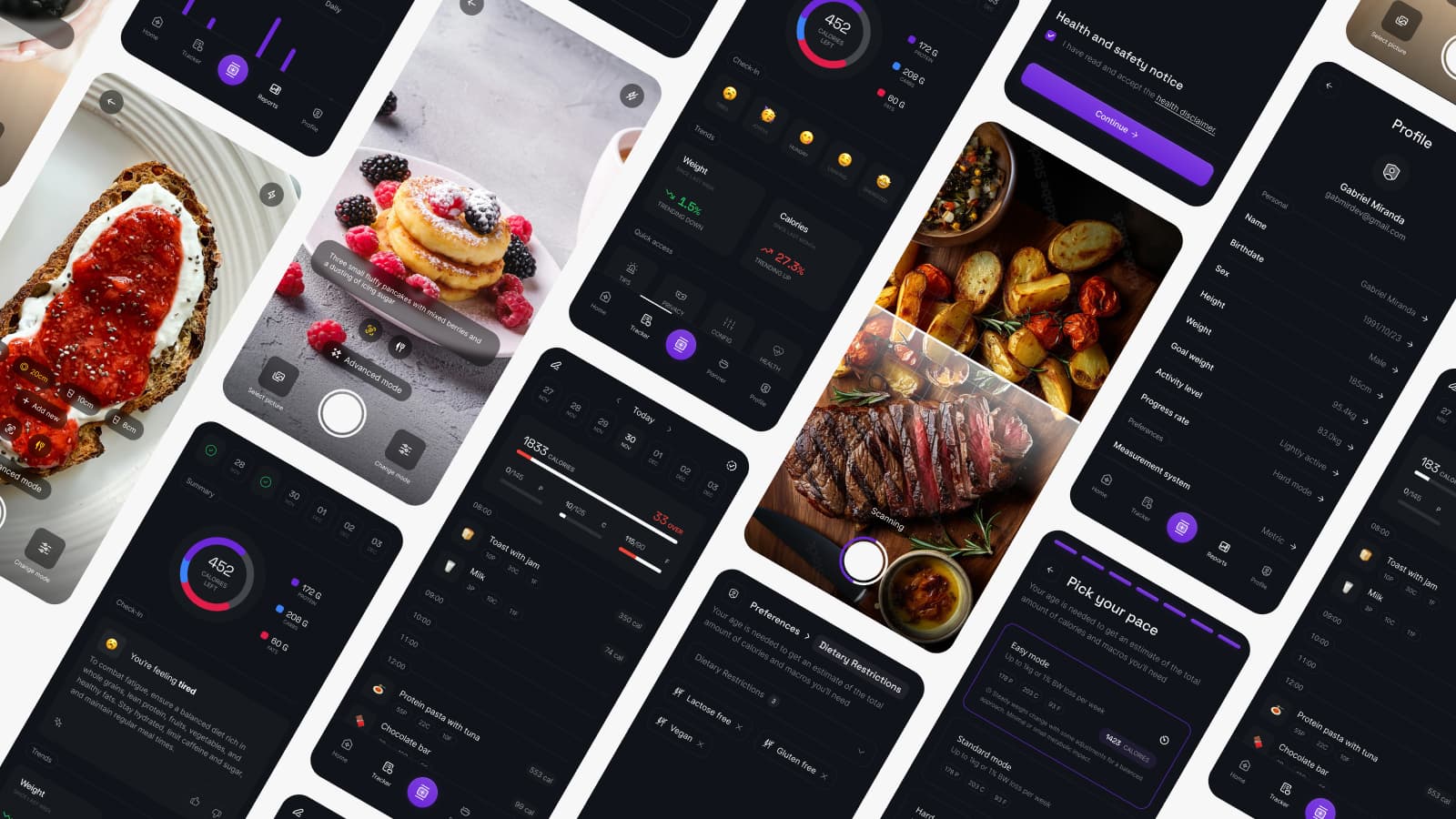
If you've been searching for Nootris in your device's app store, you might wonder why you can't find it. Well, it's because Nootris was developed as a Progressive Web App (PWA).
We chose to develop Nootris as a PWA for several reasons:
So, while you won't find Nootris in traditional app stores, don't worry – we'll show you how easy it is to add this powerful nutrition coach to your device. Ready to take the first step towards your ideal body? Let's dive in!
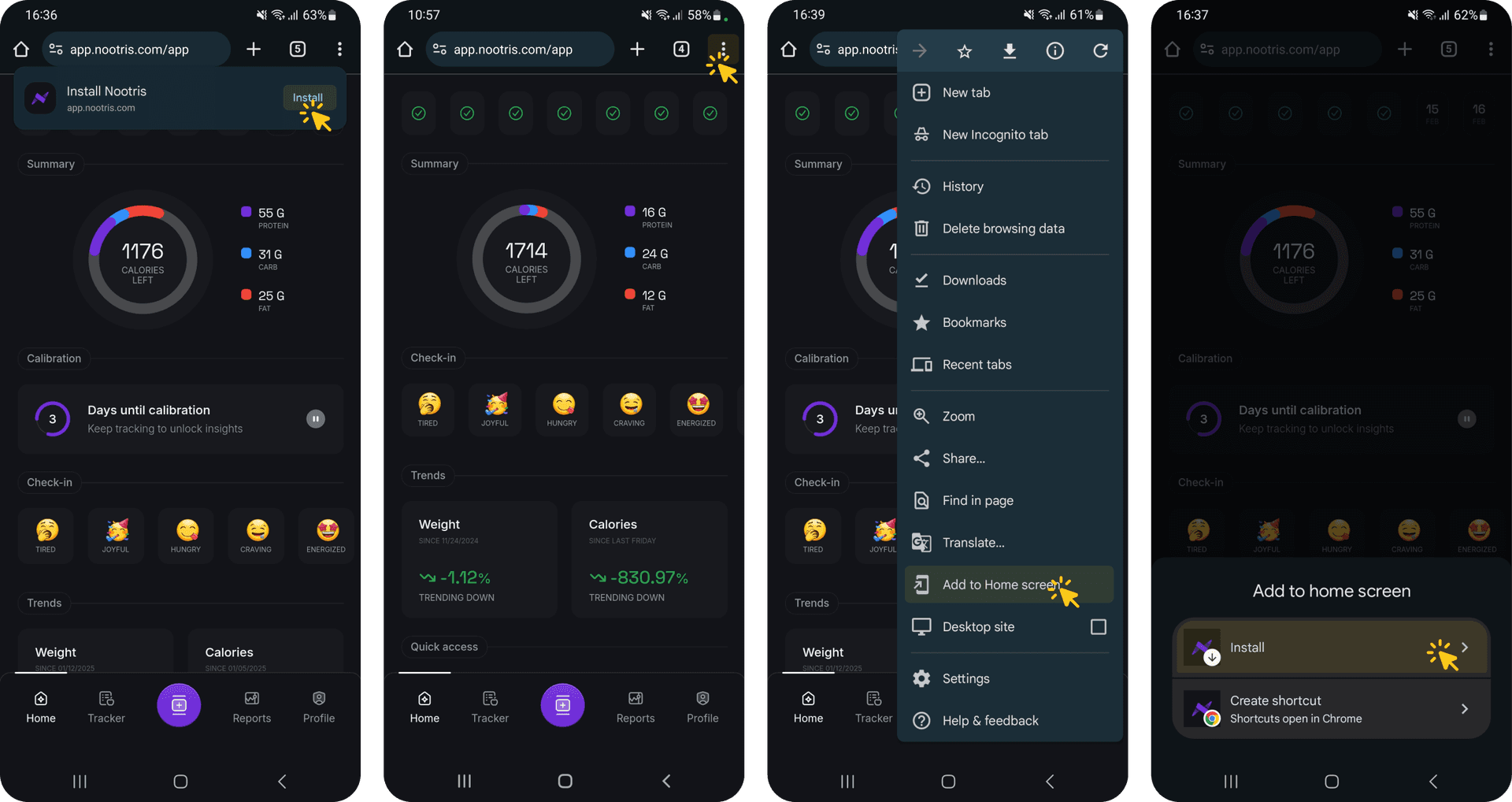
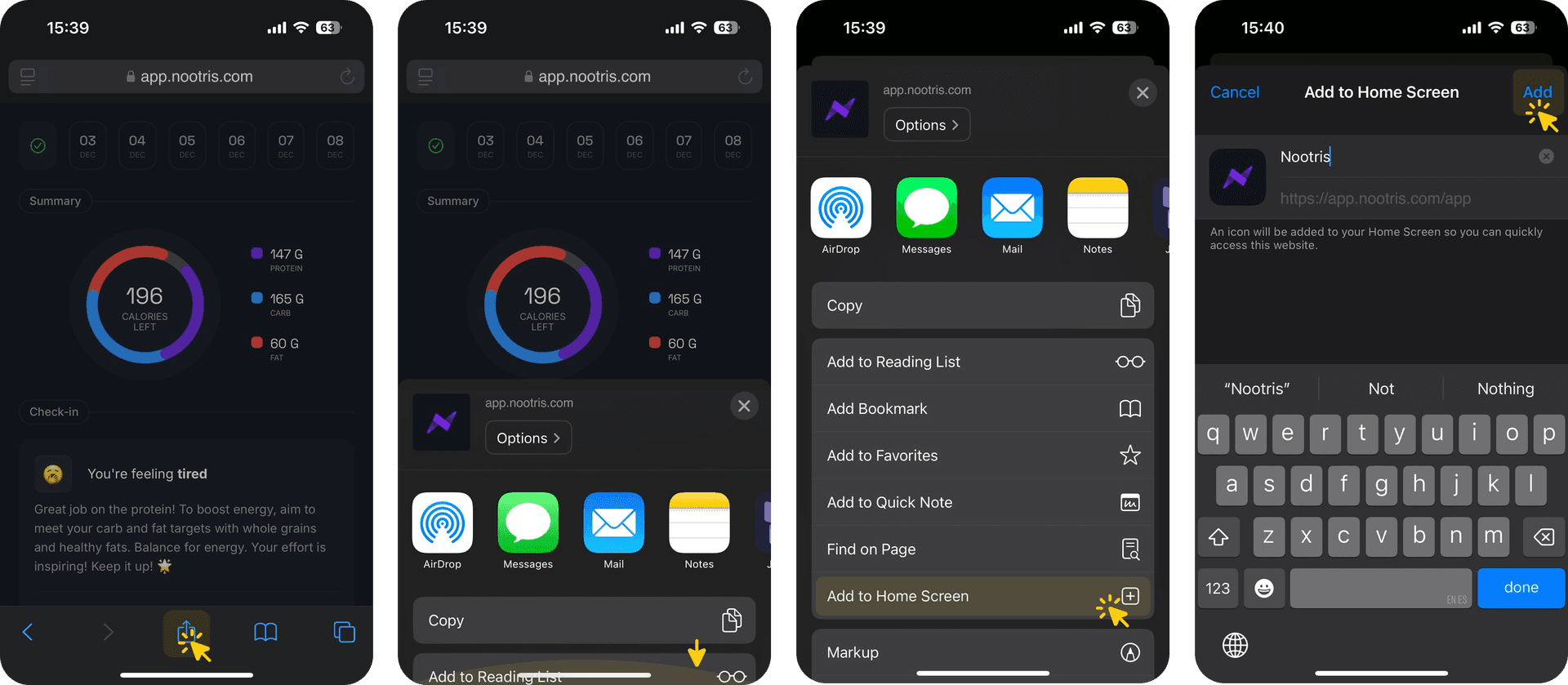
You might be wondering, "Why bother with all this when I can just use the website?" Great question! Installing Nootris as a PWA offers a smoother, more app-like experience. You'll get:
Plus, as a PWA, Nootris stays up-to-date automatically. No more waiting for app store approvals or manual updates. You'll always have the latest features and improvements at your fingertips.
Now that you've got Nootris installed, you're all set to revolutionize your approach to healthy eating. With features like AI meal scanning, mood tracking, and personalized insights, achieving your ideal body has never been more accessible.
Remember, your nutrition journey is unique, and Nootris is here to guide you every step of the way. So go ahead, take that first step (or first bite) towards a healthier you. Your future self will thank you!
Happy eating, and here's to your health! 🥗🏋️♀️🎉

Stay in the loop with everything you need to know.

Learn how AI-driven nutrition coaching with Nootris offers personalized, real-time feedback for effective weight loss.
Discover 10 essential tips to maximize your AI-driven nutrition journey with Nootris for a healthier lifestyle.
Explore how Nootris, an AI-driven nutrition coach, was born from a founder's personal weight loss journey and expertise.